

Moving a website to a new hosting provider may seem complicated, but the process is manageable when the website files, database, configuration and DNS are handled in the right order. If you need to switch servers, then you can transfer website from one server to another in two different ways. First, you can do it using a free manual method. If you want to move the website from one hosting to another without downloading to PC then you can use this professional solution.

Sometimes users want better performance, more storage, lower hosting costs, or a different server environment. Whatever the reason, the goal of migration stays the same i.e., get your site running on the new server exactly as it was, ideally faster and more reliably without losing a single file or any downtime. The good news is that the whole process is smooth and safe with the right steps. Here, we will walk you through the two most reliable methods to move website from one host to another. Pick whichever fits your comfort level and site size.
Table of Contents
- Is It Possible to Move Website from One Hosting to Another?
- What You Need Before Moving a Website?
- How to Transfer Website from One Server to Another?
- Method 1. How to Migrate Website from One Hosting to Another Manually?
- Method 2. How to Transfer Website from One Host to Another?
- Extra Tips to Avoid Downtime During Migration
- Conclusion
- Frequently Asked Questions
Is It Possible to Move Website from One Hosting to Another?
Yes, it absolutely is. Whether you are leaving a slow server, cutting costs or upgrading to better resources, you can transfer website from one host to another while keeping every file, image and database intact. However, a few situations require extra care:
- Sites with large database may time out during a manual export, so they benefit from a transfer tool.
- Dynamic sites need their configuration files updated or they will show a database error.
- Skipping a backup before you start can lead to permanent data loss if something breaks mid-migration.
Understanding these risks is the first step. Now, let’s look at the prerequisites to migrate website files successfully.
What You Need Before Moving a Website?
Before you start, make sure you have:
- FTP/SFTP credentials for the old hosting account
- FTP/SFTP credentials for the new hosting account
- Access to your domain’s DNS settings
- A complete backup of your website files
- Database credentials and backup, if applicable
- Enough storage on the new hosting account
How to Transfer Website from One Host to Another?
There are two main ways to move website from one hosting to another. The first is a free mannual method where you download the website files from the old hosting and upload them to the new hosting using an FTP client. The second method uses a professional tool which allows you to transfer website files directly between the old and new hosting servers without manually downloading and re-uploading everything.
Method 1. How to Migrate Website from One Hosting to Another Manually?
You can manually move website data using FTP client. This method costs nothing and gives you full control. It works for almost any website and is ideal if you are comfortable with an FTP client and your hosting control panel.
Step 1. Log in to your old host. Use an FTP client like FileZilla to download all website files from the public_html folder to your computer.
Step 2. Open phpMyAdmin in your control panel, select your database and click Export to save it as a .sql file.
Step 3. Log in to your new host. Create a new database then upload your files to the public_html folder using FTP.
Step 4. Import the .sql file into the new database through phpMyAdmin on the new server.
Step 5. Edit your configuration file to match the new database name, username and password.
Step 6. Update your domain’s nameservers or a record to point to the new host and wait for DNS propagation.
Method 2. How to Transfer Website from One Hosting to Another Without Downloading to PC?
If manually downloading the entire website to your computer and re-uploading it again seems time-consuming, you can use the Prapl FTP to FTP Transfer tool to move files directly from your old server to the new one. You do not need to route everything through your computer. Just enter the details of both the source and destination servers and migrate files directly. This saves time and bandwidth. It is useful when the website contains many files or a large amount of data.
However, this method os mainly suitable for static HTML websites. If you want to move a WordPress website, transferring the files alone is not enough because WordPress also uses a database that contains posts, pages, settings, users and other website data. In that case., the WordPress files and database need to be migrated separately using a manual process.
Steps to Move Website from One Host to Another
1. Run the tool and enter the host, port, username and password of the source server with FTP or FTPS and click Connect.
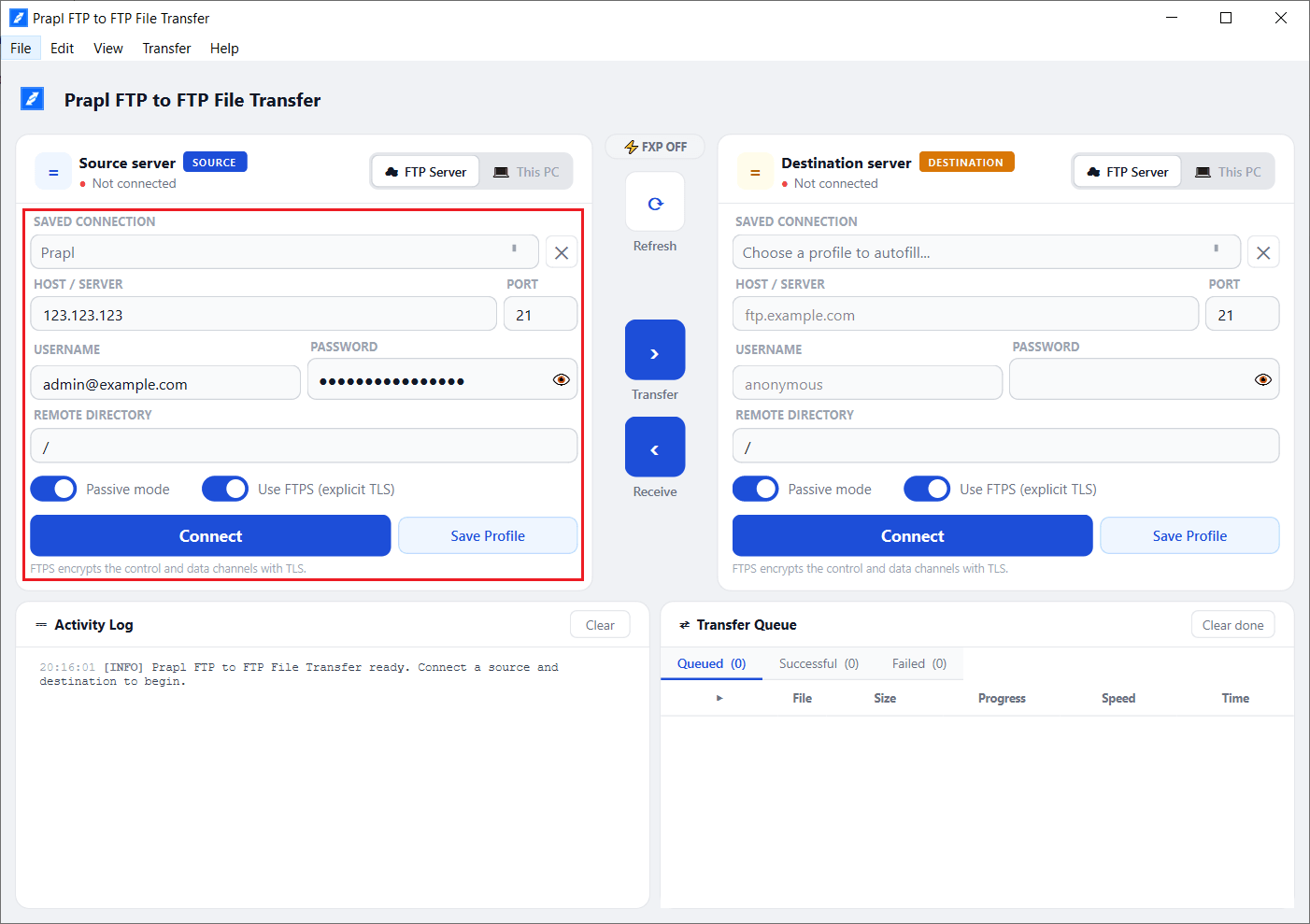
2. Now, enter the host, port, username and password of the destination server with FTP or FTPS and then press Connect.
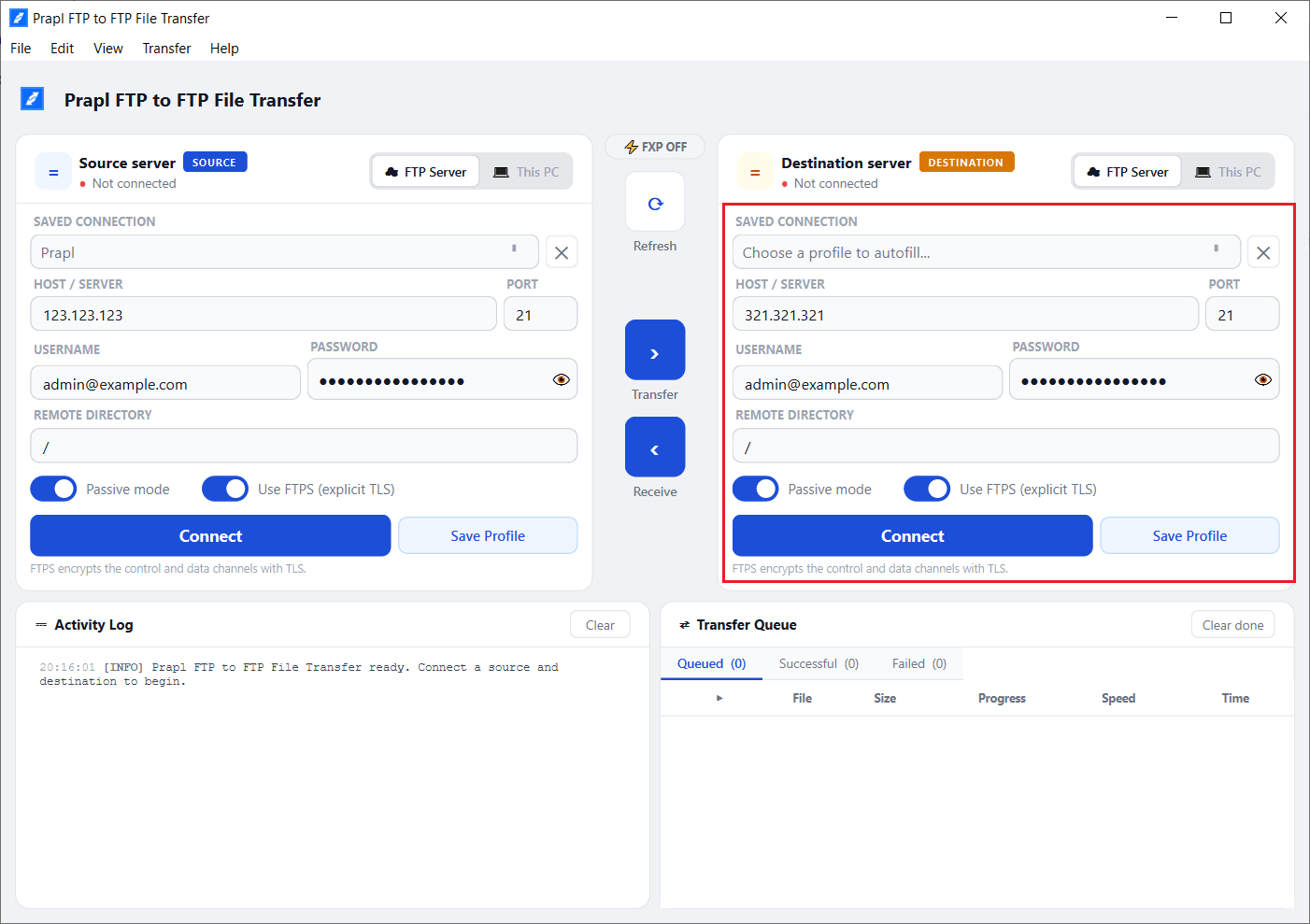
3. Once the connection is established, both servers are open side by side. Select files or folders that you want to move and click on Transfer.
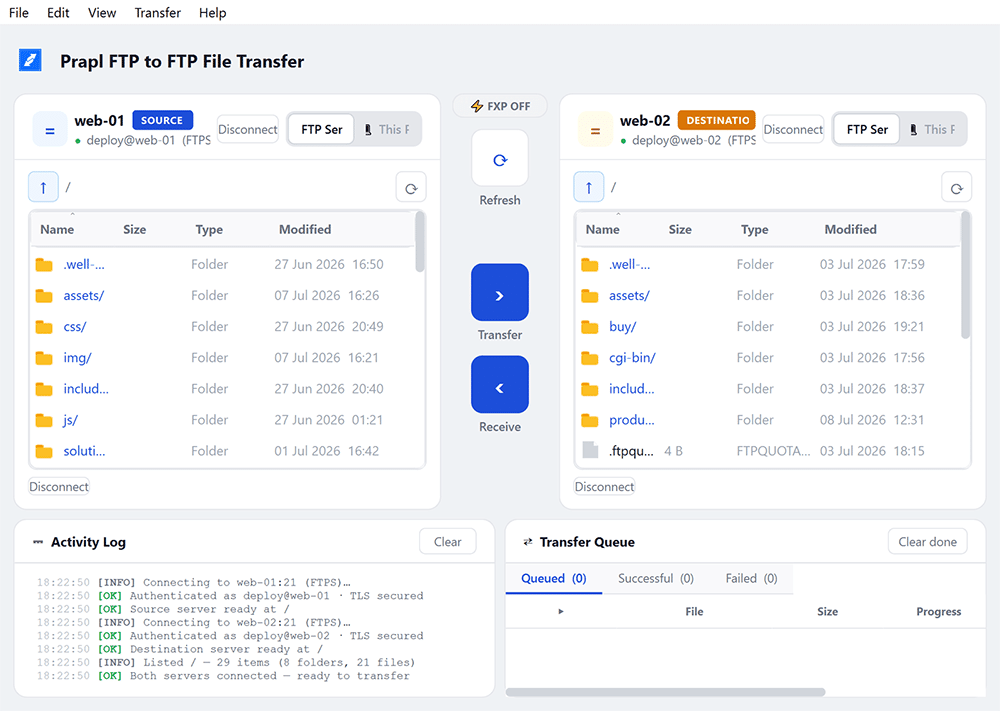
This is how you can move website from one hsot to another in a few simple clicks.
Extra Tips to Avoid Downtime During Migration
To keep your visitors happy while you move website from one hosting to another, follow these tips:
- Keep your old host active until DNS fully propagates up to 48 hours, so no visitors sees a broken page.
- Test on a temporary URL before switching your domain to catch broken links early.
- Lower your DNS TTL a day before migrating to speed up propagation.
Conclusion
In this post, we have discussed how to move website from one hosting to another using two different ways. Both methods can be used to migrate website from one server to another but the right choice depends on the website size and number of files. If you want a free solution, the manual FTP method works well. For easier server to server file migration, te software provides a convenient way to transfer website files directly between hosting servers.
Frequently Asked Questions
Q 1. How do I transfer my website from one host to another?
Ans. You can migrate your website from one server to another in two different ways. First is the manual solution in which you need to download the files from source server to your system and then upload the files to destination server. Second is the automated solution that can directly transfer website files between two host without downloading and uploading.
Q 2. How to move a website from one server to another for free?
Ans. You can migrate a website from one host to another for free by manually downloading the website files from the old server and uploading them to the new server using an FTP client.
Q 3. How long does it take to migrate a website from one hosting to another?
Ans. The time required depends on the website size, number of files, database size and internet speed. A small HTML website can transferred quickly while a large website with many files may take longer. DNS propagation after changing the domain settings can also add some time to the migration process.
Q 4. How to move websites from an old server to a new one if I am using WordPress websites?
Ans. For a WordPress website, you need to move both the WordPress files and its database. First export the database from the old host and then import it to the new server.
Q 5. Can I transfer an HTML website directly from one hosting server to another?
Ans. Yes. You can transfer an HTML website directly from one hosting to another using FTP to FTP transfer tool.