
Accessing cloud storage and remote servers directly from Windows File Explorer can make file management much easier. Mountain Duck is one popular option for this purpose. It allows users to access remote and cloud storage through File Explorer instead of working only through a web browser or separate transfer window. It supports services and protocols such as SFTP, FTP, WebDAV, Amazon S3, Azure, Google Cloud Storage, OneDrive and many more.
However, users may look for a Mountain Duck alternative because of pricing, workflow preferences, supported storage services or the need for a simple Windows-focused solution. Here, we will provide a simple and secure solution for users who want to work with remote storage directly from Windows File Explorer.
Before proceeding further, let’s understand why people move away from Mountain Duck.
Why Look for a Mountain Duck Alternative?
Here are some common reasons for searching for an alternative:
- Performance: It can feel slow to start and less smooth when handling a very large number of files.
- Complexity: Its many advanced features can be overkill if you just want your cloud storage as a drive.
- Cost: It is paid software, so some users prefer a cheaper or free option.
- Platform Needs: You may want something built specifically for your operating system.
A suitable alternative should therefore provide easy access to remote storage while keeping the existing files and folders organised. It should also support commonly used cloud and server platforms and make everyday file operations simple.
What is the Best Mountain Duck Alternative?
There are a lot of alternatives, each with its own strengths. If you value simplicity and want to connect unlimited accounts on Windows, Prapl Cloud Mount Manager is a strong lightweight alternative. It is designed to bring remote and cloud storage into Windows File Explorer so that users can work with files in a familiar folder-based interface.
Instead of opening a browser every time to access a file, this utility lets you connect your storage through the desktop application and access it from File Explorer. You can browse folders, open files, copy data, move files and save changes using the normal Windows workflow.

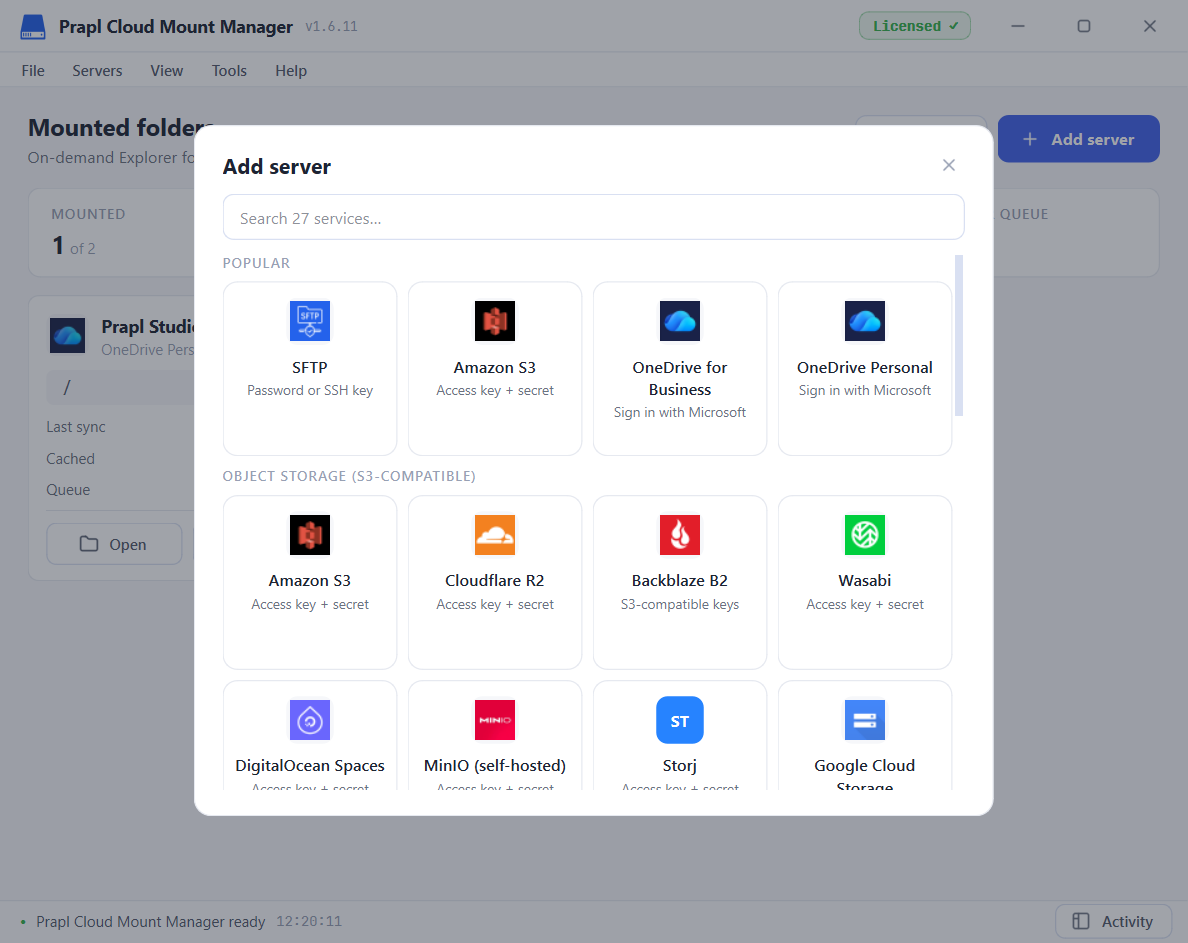
It supports storage and server connections such as FTP, FTPS, SFTP, NAS, Amazon S3, OneDrive, Wasabi, Cloudflare R2, MinIO, Google Cloud Storage, Azure Blob Storage, DigitalOcean Spaces, WebDAV and many more.
Prapl Cloud Mount Manager vs Mountain Duck
| Feature | Mountain Duck | Prapl Cloud Mount Manager |
|---|---|---|
| Windows File Explorer Access | Yes | Yes |
| SFTP Server | Yes | Yes |
| Cloud Storage | Yes | Yes |
| NAS Acess | Yes | Yes |
| Multiple Accounts | Supports multiple but can feel heavy | Unlimited accounts at the same time |
| Performance | Feature-rich but slow to start with many files | Lightweight and fast |
| Access Type | On-demand | On-demand |
Simple Steps to Use This Tool as a Mountain Duck Alternative
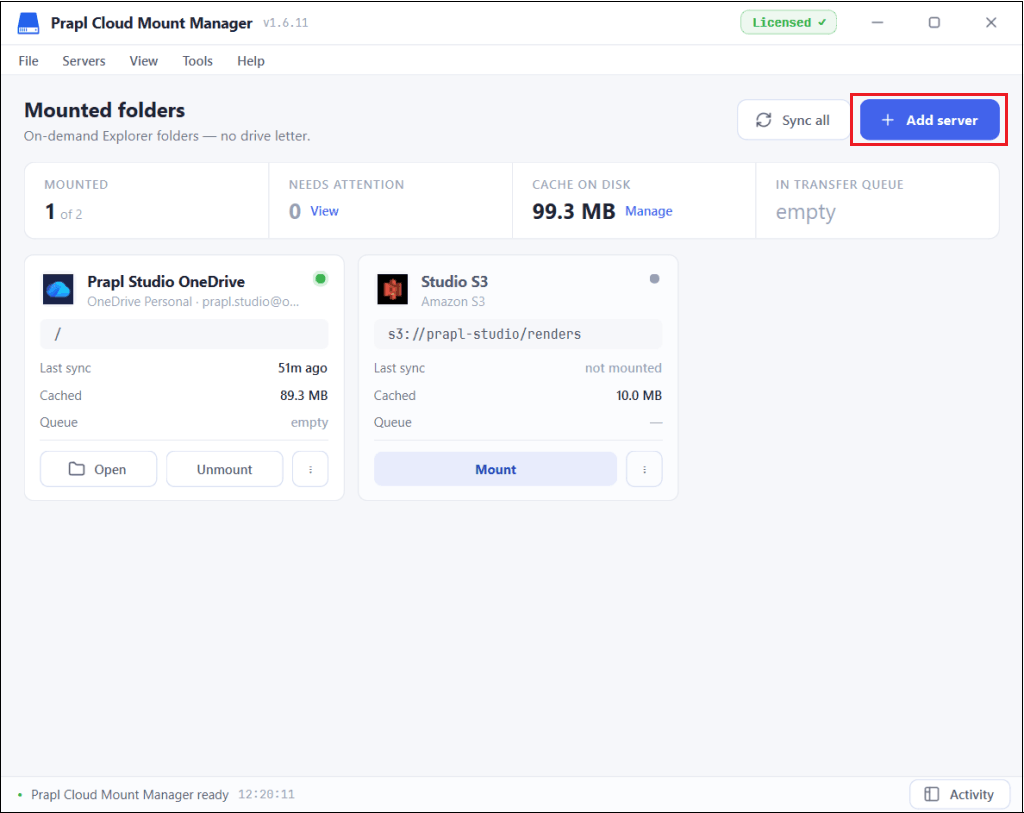
1. Run the tool on your Windows PC and click on Add Server.
2. Choose the required storage or server type.
3. Enter the required connection details and credentials.
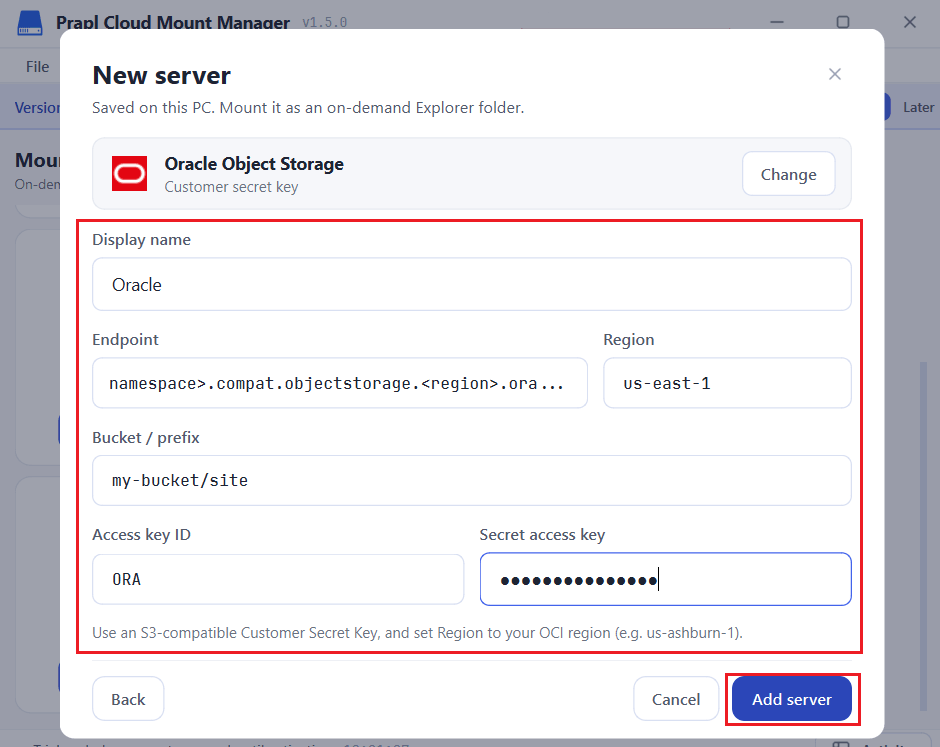
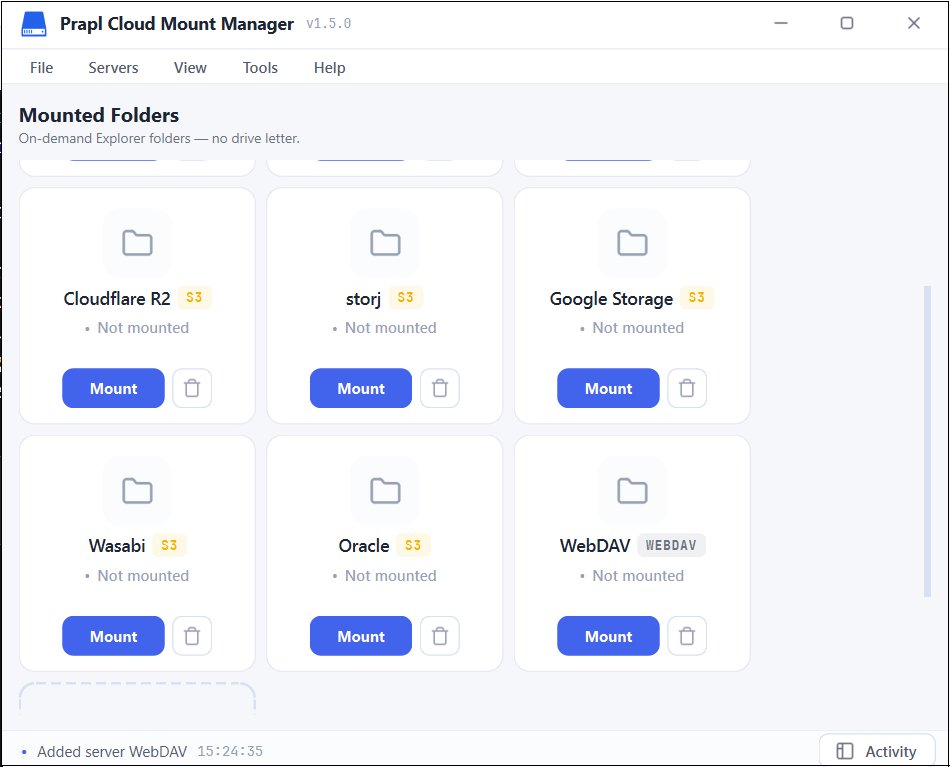
4. Once it is added, click on Mount.
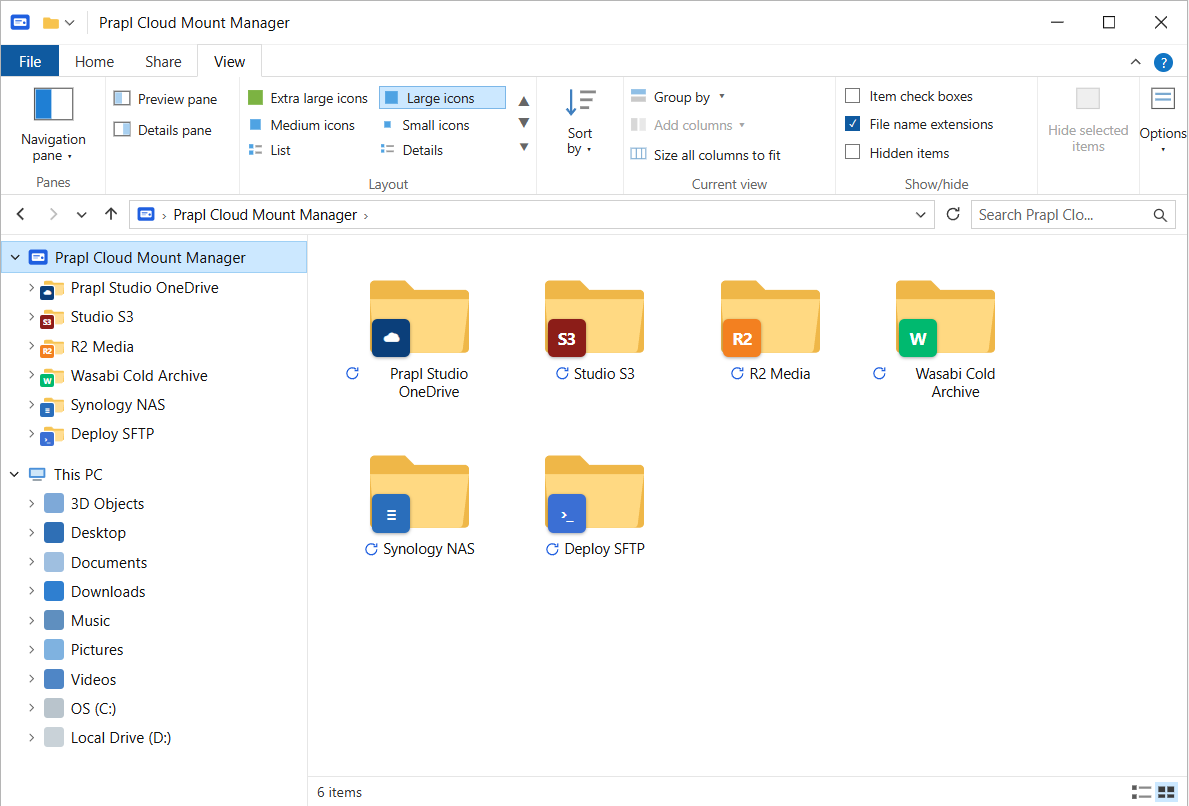
Your storage or server type now appears in Windows File Explorer. You can access and manage files using normal Windows file operations without going back to the browser for every task.
Why Choose Prapl Cloud Manager?
The main advantage is convenience. Your remote storage can be accessed from the same Windows File Explorer interface that you already use for local files. It can be useful when you regularly work with files stored on SFTP servers, cloud object storage and NAS devices. You can open and manage files without repeating logging into different web dashboards.
There are several other reasons to use this utility as a Mountain Duck alternative:
- Easy to Use: Choose your storage or server, sign in and connect. There are no complicated settings or technical steps.
- Unlimited Accounts: Connect as many cloud accounts as you want and use them all at once, each as its own drive or folder name in File Explorer.
- Lightweight and Fast: It stays out of the way and does not slow down your PC.
- Save Disk Space: The files are accessed on demand instead of being fully copied to your computer.
- Stable Connection: The drive stays available and reconnects automatically when needed.
- Work with Your Apps: Since it appears as a normal drive, any Windows programme can open and save files to it.
Final Words
Mountain Duck is a capable tool with broad protocol support and advanced synchronization features. But if your main Requirement is to access cloud and server storage through Windows File Explorer, you can consider Prapl Cloud Mount Manager as a Mountain Duck alternative. It provides a familiar desktop workflow for accessing remote storage, and can be useful for users managing multiple cloud, servers and NAS locations from Windows.