

Are you still copying the SQLite database file by hand whenever you need a backup? It may work for occasional copies but it becomes hard to remember once the database is updated regularly. A single missed backup can leave you with an outdated copy when something goes wrong.
The good news is that protecting your SQLite database can be simple. In this guide, we will explain how to backup SQLite database using two methods. One is a simple manual approach with the SQLite command-line tool. The other one is a professional program that can schedule and automate SQLite database backup on Windows.
While researching this topic, we found a common user query where someone asked to backup SQLite database. Whether copying the .sq3 file is enough and what happens if the file is being written while it is copied. Take a look at the question below:
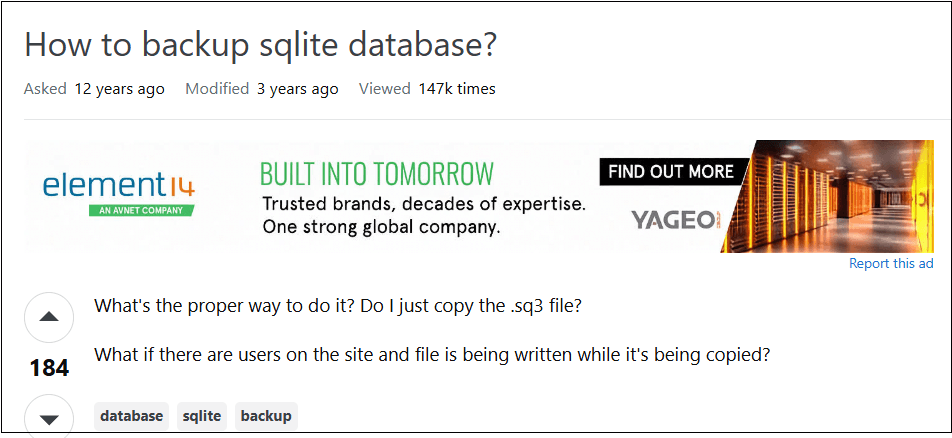
The last concern is exactly the point. Copying a live database file can give you a broken or half-written backup. Let’s look at the correct ways to do it.
Why Should You Automate SQLite Database Backup?
A backup is only useful when it is recent and available at the moment you actually need it. If your database keeps changing but your backups do not, an old copy will not save you. The trouble with manual backups is simple but they are easy to forget or delay. Automation fixes that.
- Scheduled backups run automatically even when you forget.
- You always keep a fresh recovery point after data loss.
- The chance of a missed backup drops close to zero.
- Backup copies can be stored separately from the original database.
- Old backups can be deleted automatically through a retention policy.
- Recurring hands-off backups save you time every single day.
Method 1. How to Backup SQLite Database – Default Method
The safest manual way is the built-in .backup command in the SQLite command-line shell. Unlike plain file copying, it works even when the database is in use, so you get a clean, consistent copy.
Step 1. Find the .db, .sqlite or .sqlite3 file that stores your data.
Step 2. Open Command Prompt in that folder and run:
sqlite3 mydata.db
Replace mydata.db with your actual database file name.
Step 3. Inside the shell, run:
.backup backup.db
This creates a safe copy named backup.db. You can also do it in one line without opening the shell:
sqlite3 mydata.db ".backup 'backup.db'"
Step 4. Open the destination folder and confirm that backup.db was created successfully.
This method works but it depends on you remembering to run it each time. For a frequently changing database, this becomes hard to maintain.
Method 2. Professional Way to Backup SQLite Database Automatically
If you want to schedule job, dedicated backup software provides a better approach.
Using the Prapl SQL Backup Software, you can automate SQLite database backup. It provides various scheduling options such as daily, weekly, monthly, and yearly. It eliminates the need to manually initiate each backup by automatically creating backups according to a schedule. This program allows you to take full, incremental or differential backups.
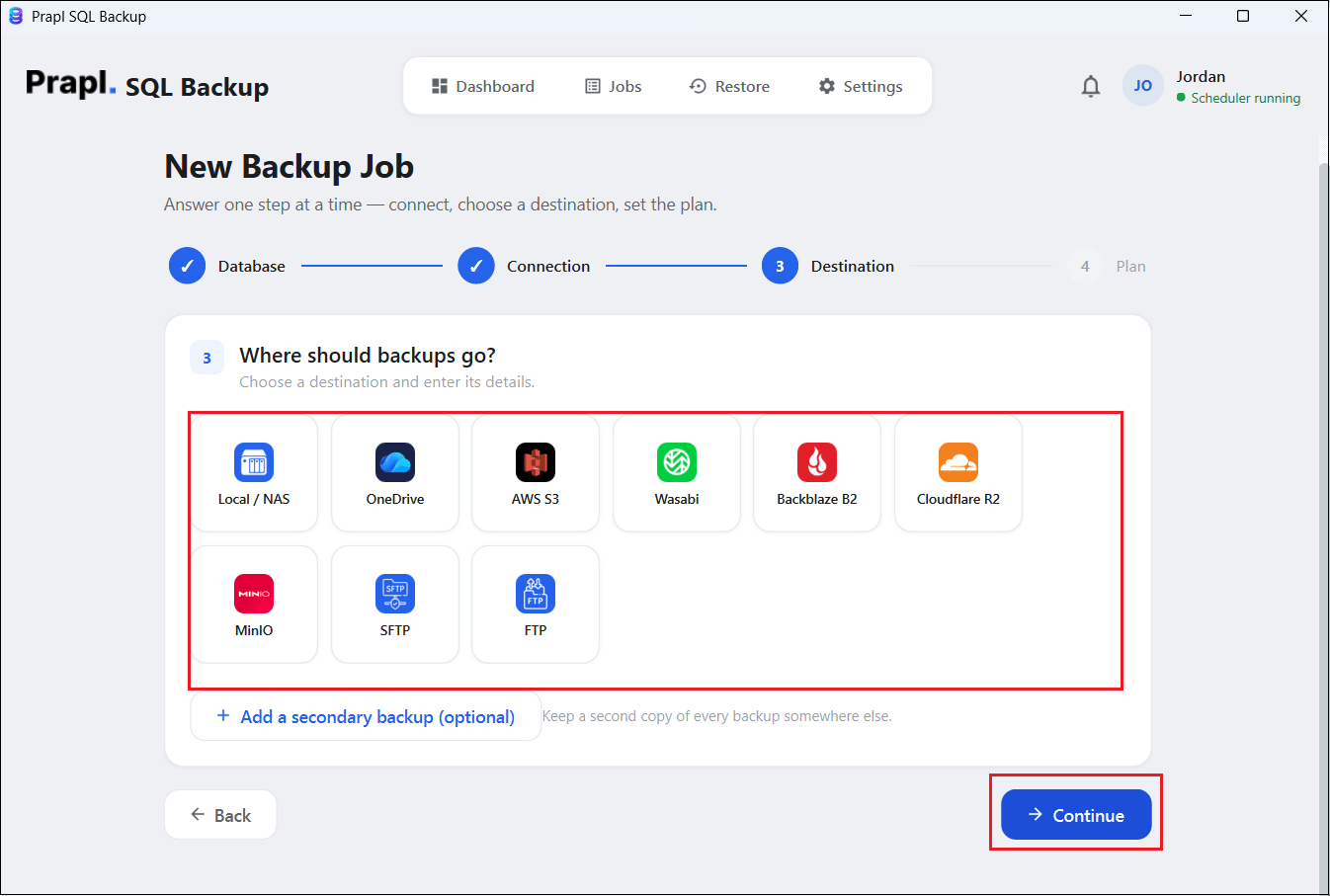
This SQLite backup tool offers flexible storage options to save backup copies to Local/NAS, OneDrive, Amazon S3, Wasabi, MinIO, SFTP, FTP and many more. It lets you compress and encrypt the backup before storing it. Additionally, it also enables you to restore SQLite database backup when you need it.

Steps to Automate SQLite Database Backup to PC or Cloud Storage
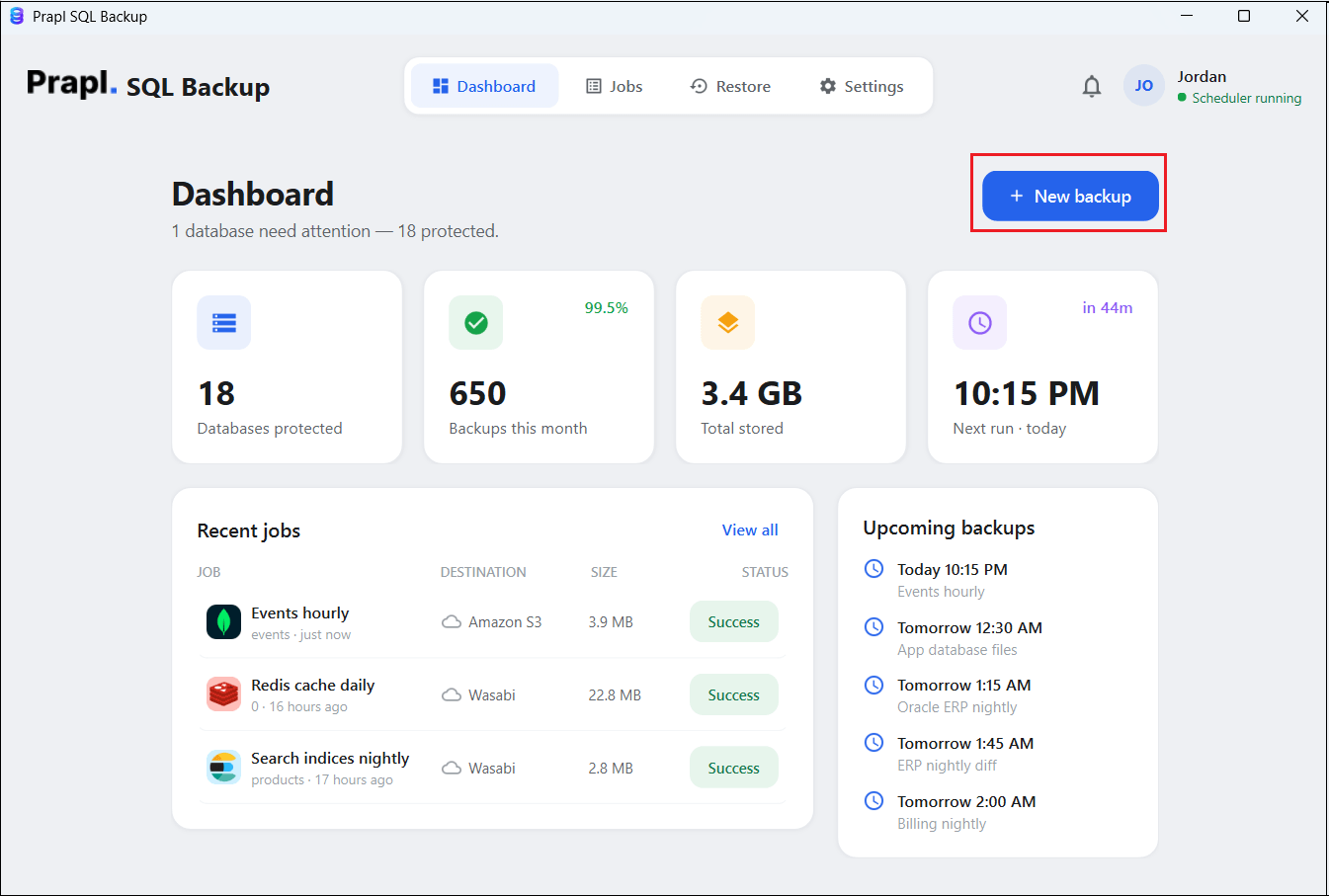
1. Download the tool on your Windows PC, launch it and click on + New Backup.
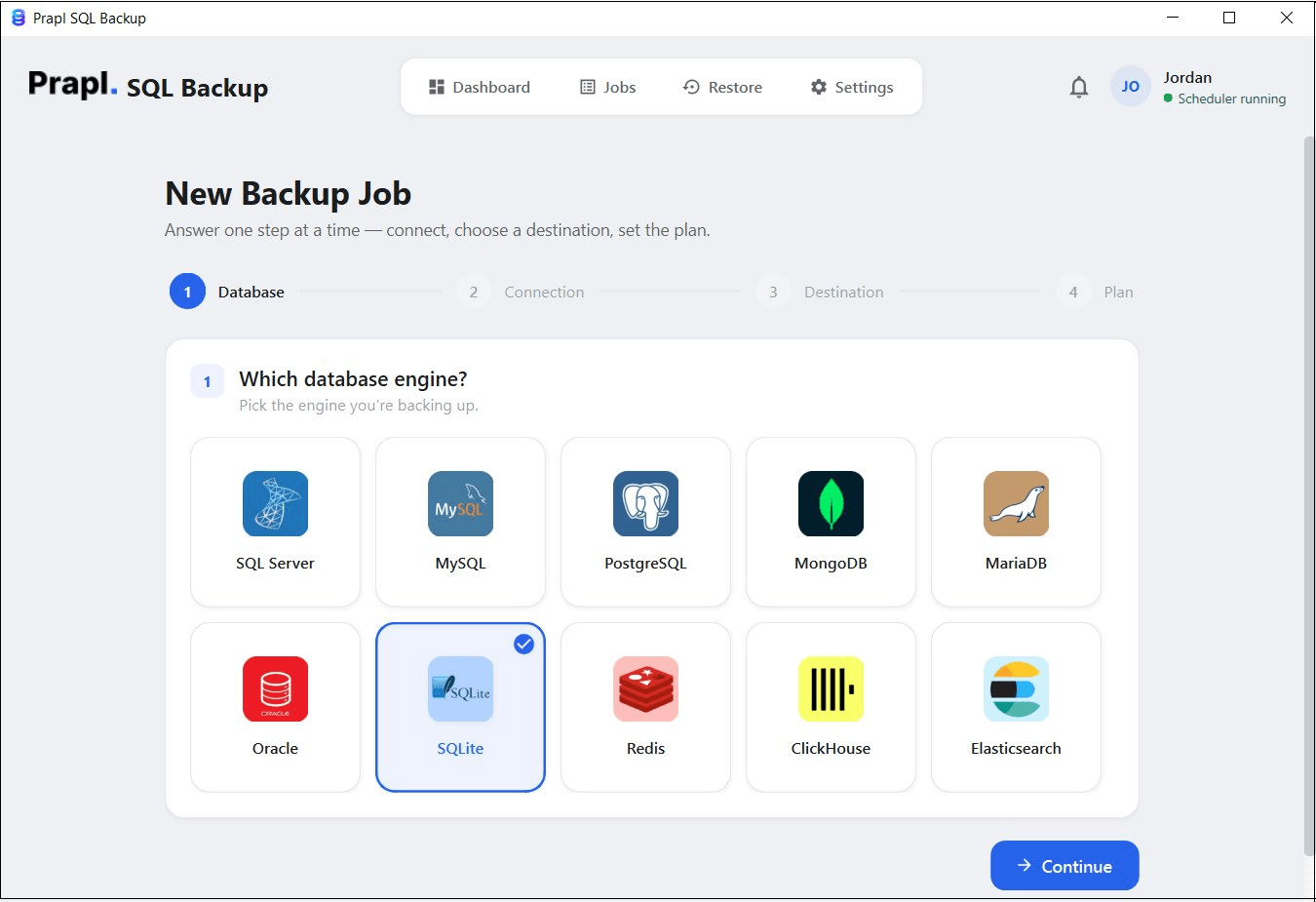
2. Choose SQLite as a database engine and click on Continue.
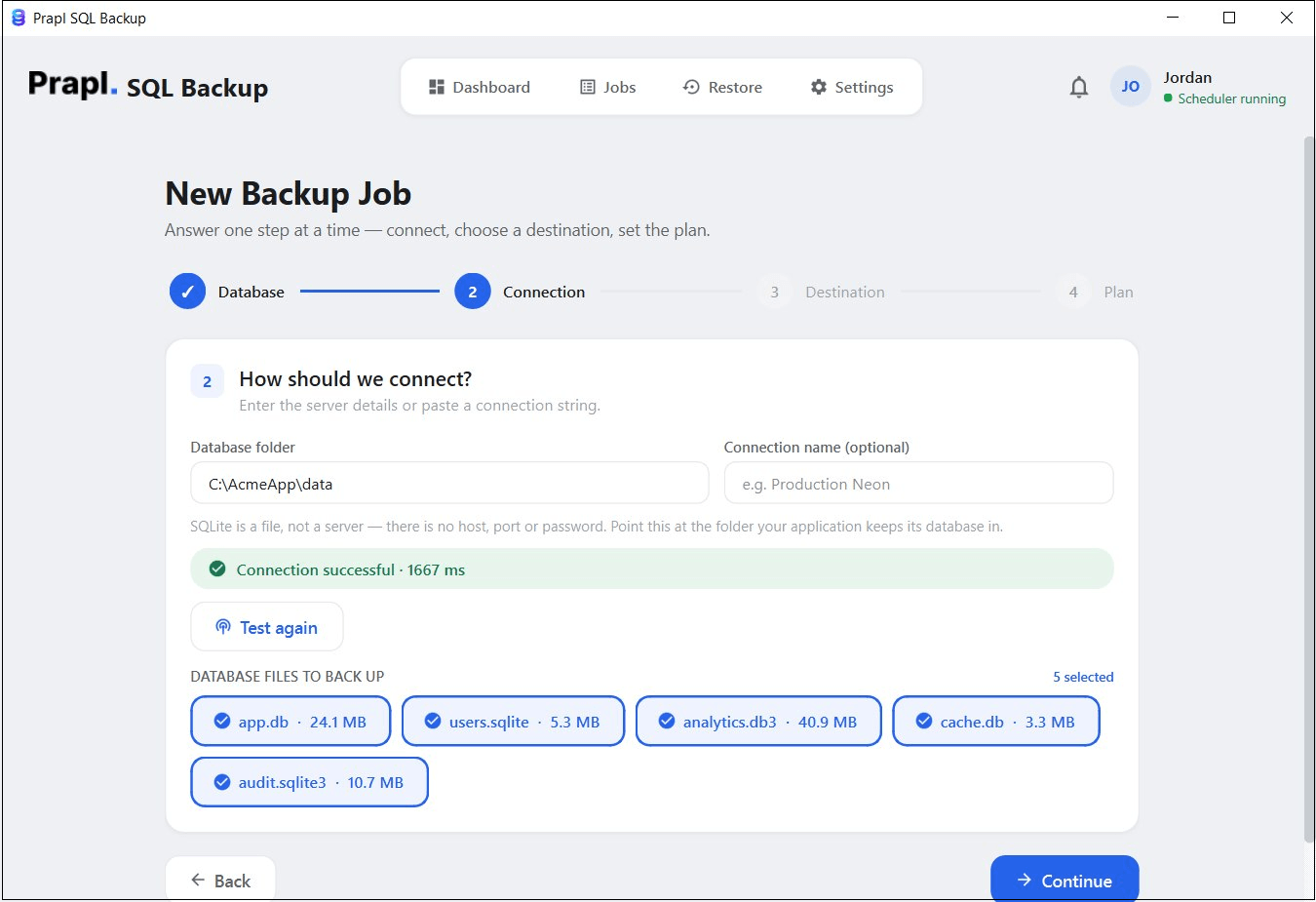
3. Enter the folder path where your application stores its SQLite database or use Browse to find it. Click on Test & list databases to scan the folder, and select the database you want to back up.
4. Select a destination location to store backup files and press Continue.
5. Set the backup plan and click on Save & Run Now.
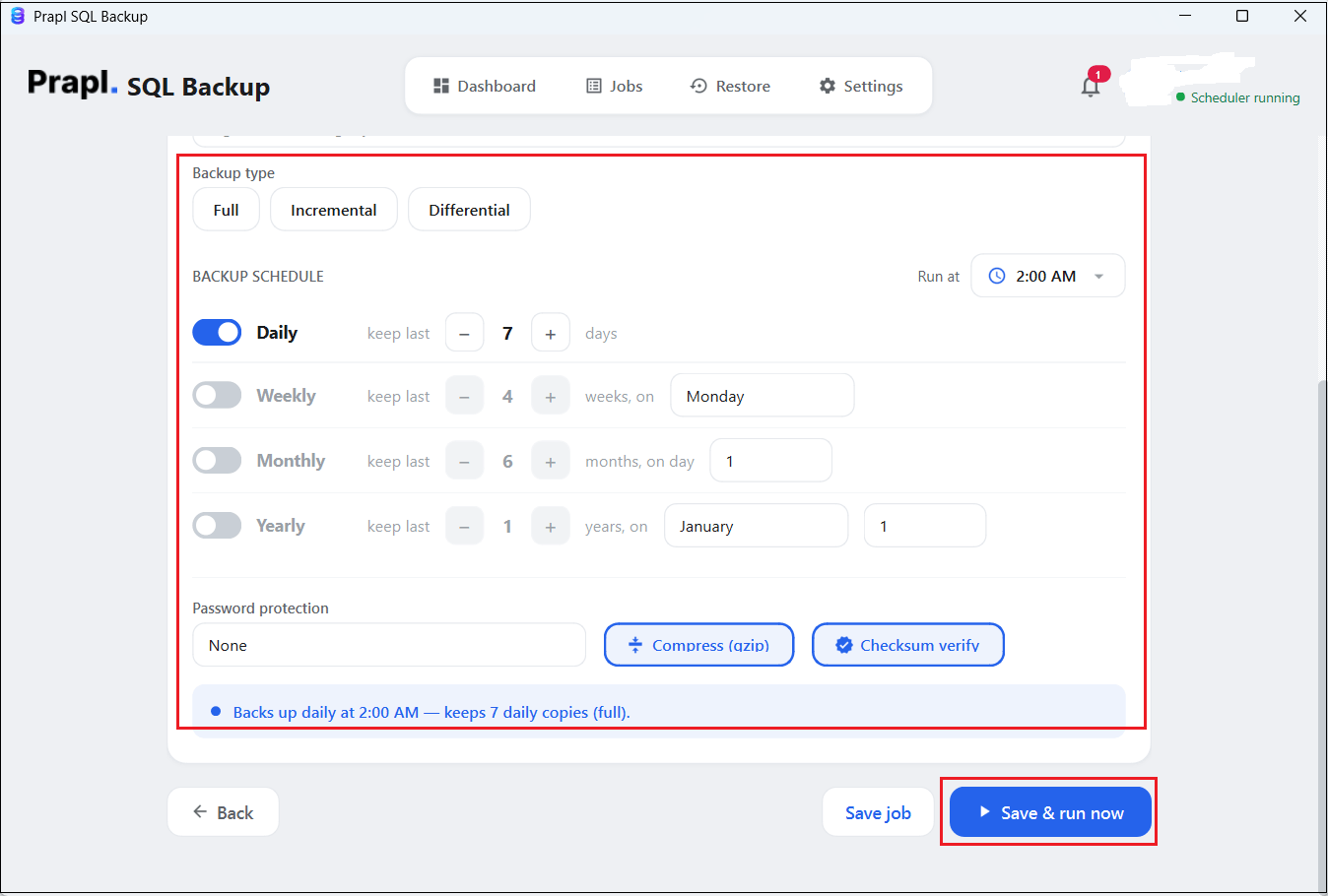
The software will start creating backup of SQLite database automatically on the selected schedule.
Common Mistakes to Avoid
- Copying the live database file directly – Use .backup instead, as raw copies can corrupt.
- Storing every backup on the same machine – If that drive fails, both copies are lost.
- Never testing a restore – A backup you cannot restore is not a backup.
- Keeping unlimited backups – Set a retention rule to control storage.
Final Thoughts
SQLite makes database backup relatively straightforward because the database is stored in a file and its command-line shell provides a built-in .backup command. However, taking backup SQLite database manually can become repetitive as the database grows or changes more frequently.
For occasional protection, the manual method is sufficient. For businesses and users who need automatic SQLite database backup, a professional utility can reduce repetitive work by handling scheduling and retention from one place. The important part is to keep backups in a separate location and regularly verify that they can be restored when needed.
Frequently Asked Questions
Q1. Is copying the SQLite .db file enough for backup?
Ans. Simply copying the .db file may not always be the safest approach, particularly when the database is actively being modified. Using SQLite’s backup mechanism can create a consistent database backup instead of relying on a basic file copy.
Q2. How can I verify that my SQLite backup is working?
Ans. Check that the backup job completes successfully and that a backup file is created at the selected destination. Restore backup to confirm that the database can be recovered when required.
Q3. Can I backup SQLite database to PC?
Ans. Yes. You can store SQLite database backup to PC or cloud storage.