
An Oracle database can contain years of important business data, so having a reliable backup is essential. Oracle database backup gives you a way to recover your data if files are accidentally deleted, hardware fails or another unexpected problem affects the server.
Oracle provides Recovery Manager (RMAN) as its main backup and recovery tool. RMAN can create database backups and manage different backup options from the command line. You can use it to back up the entire database, selected data files and archived redo logs. You can also use a professional utility to take auto backup Oracle database. Here, we will explain both methods with step-by-step instructions.
Table of Contents
- Why is Backing Up Oracle Database Necessary?
- How to Take Oracle Database Backup Manually?
- How to Backup Oracle Database Automatically?
- Watch How to Auto Backup Oracle Database
- Conclusion
- Frequently Asked Questions
Why is Backing Up Oracle Database Necessary?
Database problems can happen for many reasons. A server may fail, important files may be deleted or an application may make unwanted changes to the database. A backup is most useful when it is created regularly and stored somewhere separate from the production database. A recent backup helps reduce the risk of permanent data loss.
Regular Oracle database backup can help you:
- Recover data after hardware or storage failure.
- Restore important database files
- Protect against accidental data deletion
- Keep a copy of important business information
- Prepare for disaster recovery
- Restore the database when a serious problem occurs
How to Take Oracle Database Backup Manually?
RMAN is Oracle’s own built-in backup tool used to perform database backup and recovery operations. It can work with Oracle databases and keeps information about backups in the RMAN repository.
Follow the steps below to create Oracle backup:
1. Log in to the server where Oracle is installed and open a command prompt.
2. Start RMAN and connect to your database:
rman target /
3. Set a location to save backups
RMAN> CONFIGURE CHANNEL DEVICE TYPE DISK FORMAT '/backup/oracle/%U';
4. Run a full backup of the database along with the archive logs:
RMAN> BACKUP DATABASE PLUS ARCHIVELOG;
5. Confirm the backup completed successfully.
RMAN> LIST BACKUP SUMMARY;
6. After that exit.
RMAN> EXIT;
How to Backup Oracle Database Automatically?
RMAN is powerful but it is mainly command-line based. Users who are not familiar with Oracle commands may find it difficult to configure. So, many users prefer a dedicated backup tool to manage database backup tasks through a centralized interface.
Prapl SQL Backup Tool can simplify Oracle database backup by scheduling, backup configuration, storage options and restoration workflow into one interface. This is a desktop-based application, so your data is always under your control.

This software allows you to:
- Schedule backups daily, weekly, monthly or yearly
- Take full, incremental or differential backups
- Multiple options to store backup copies to local PC, NAS, OneDrive, FTP, SFTP and many cloud storage services
- Set retention policy to delete old backup copies automatically
- Receive email alerts on the success or failure of backup
- Restore Oracle backup to the same environment or a different server
Steps to Automate Oracle Database Backup via Tool
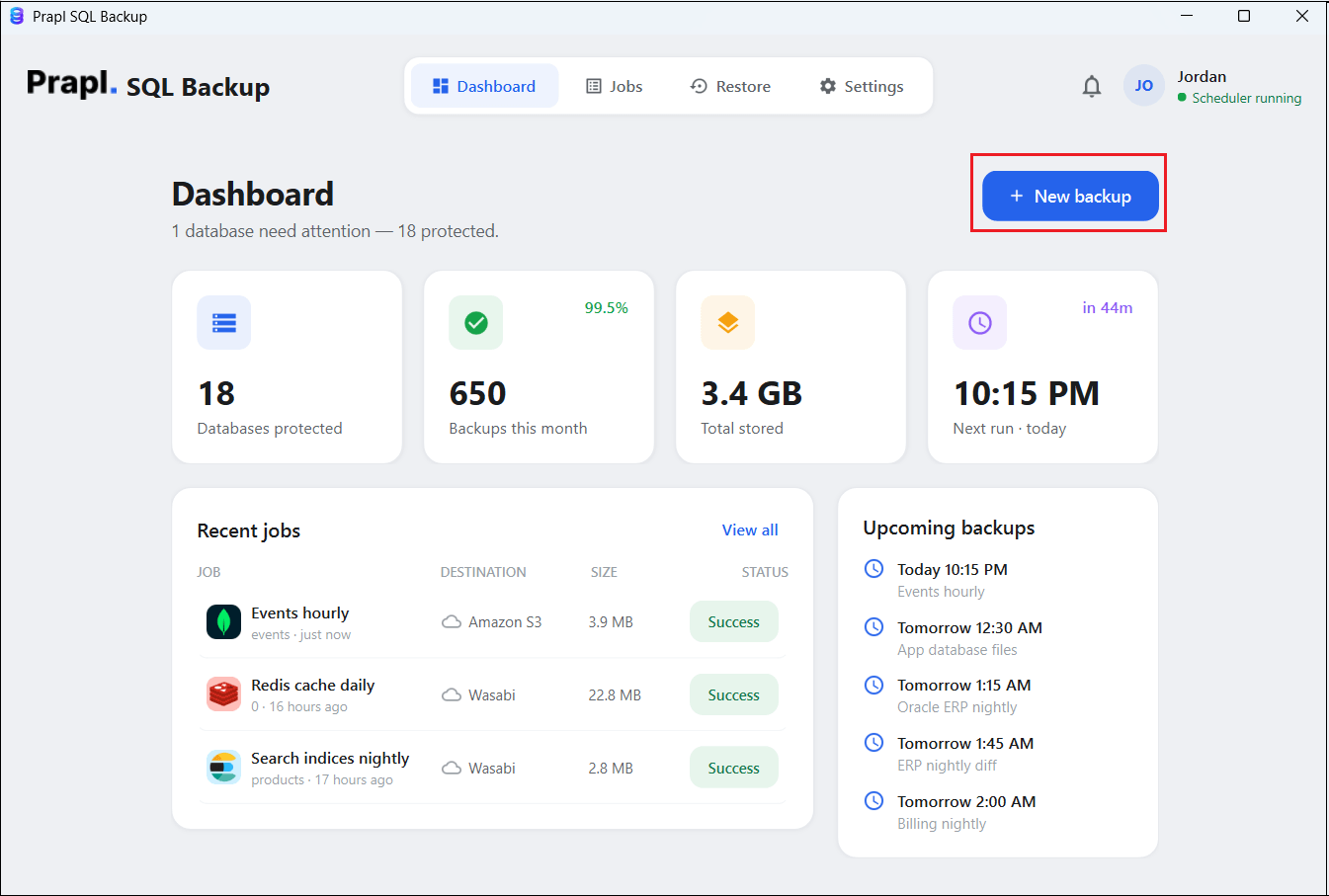
1. Run the tool on your Windows PC and click on + New Backup.
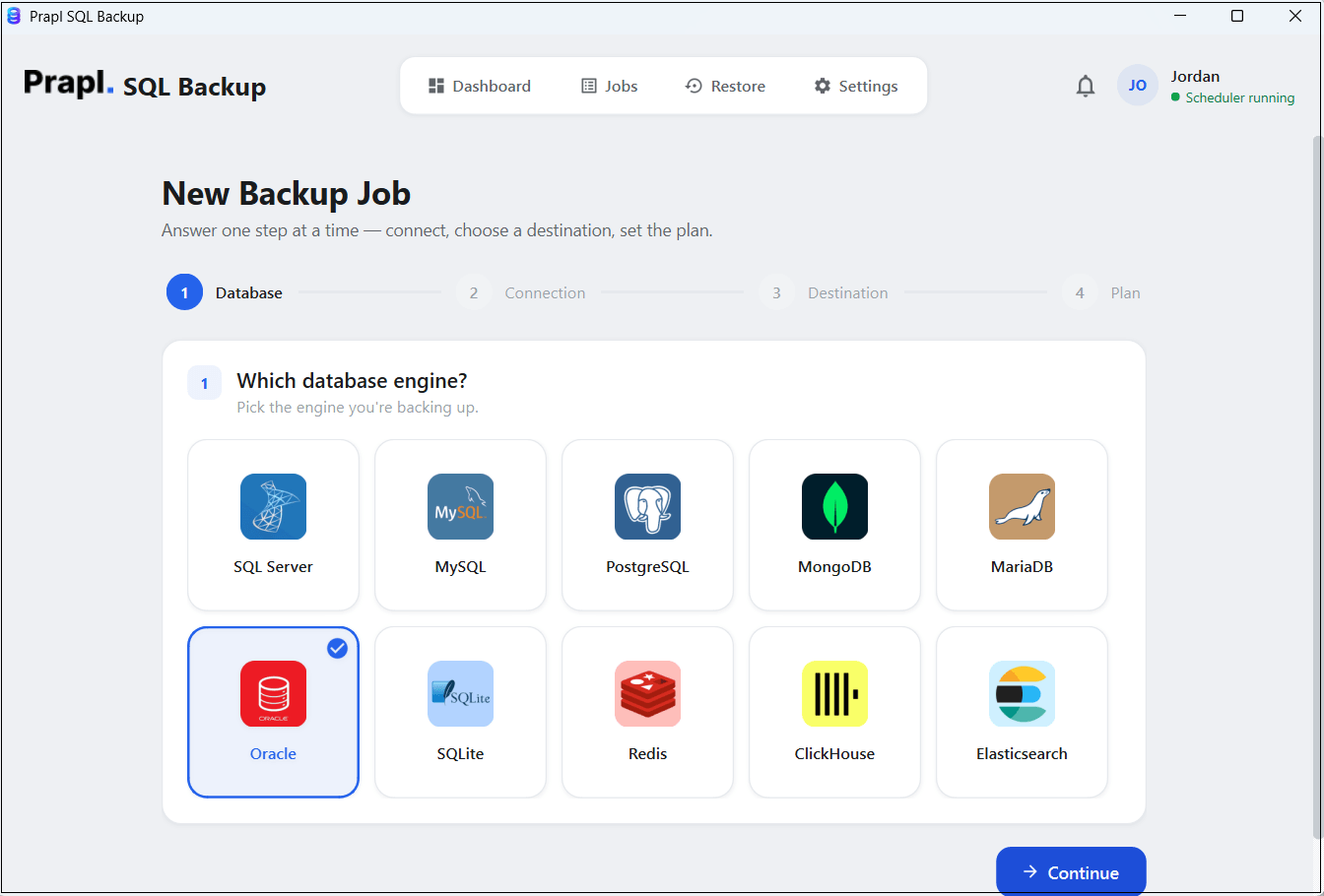
2. Choose Oracle from the database engine and click Continue.
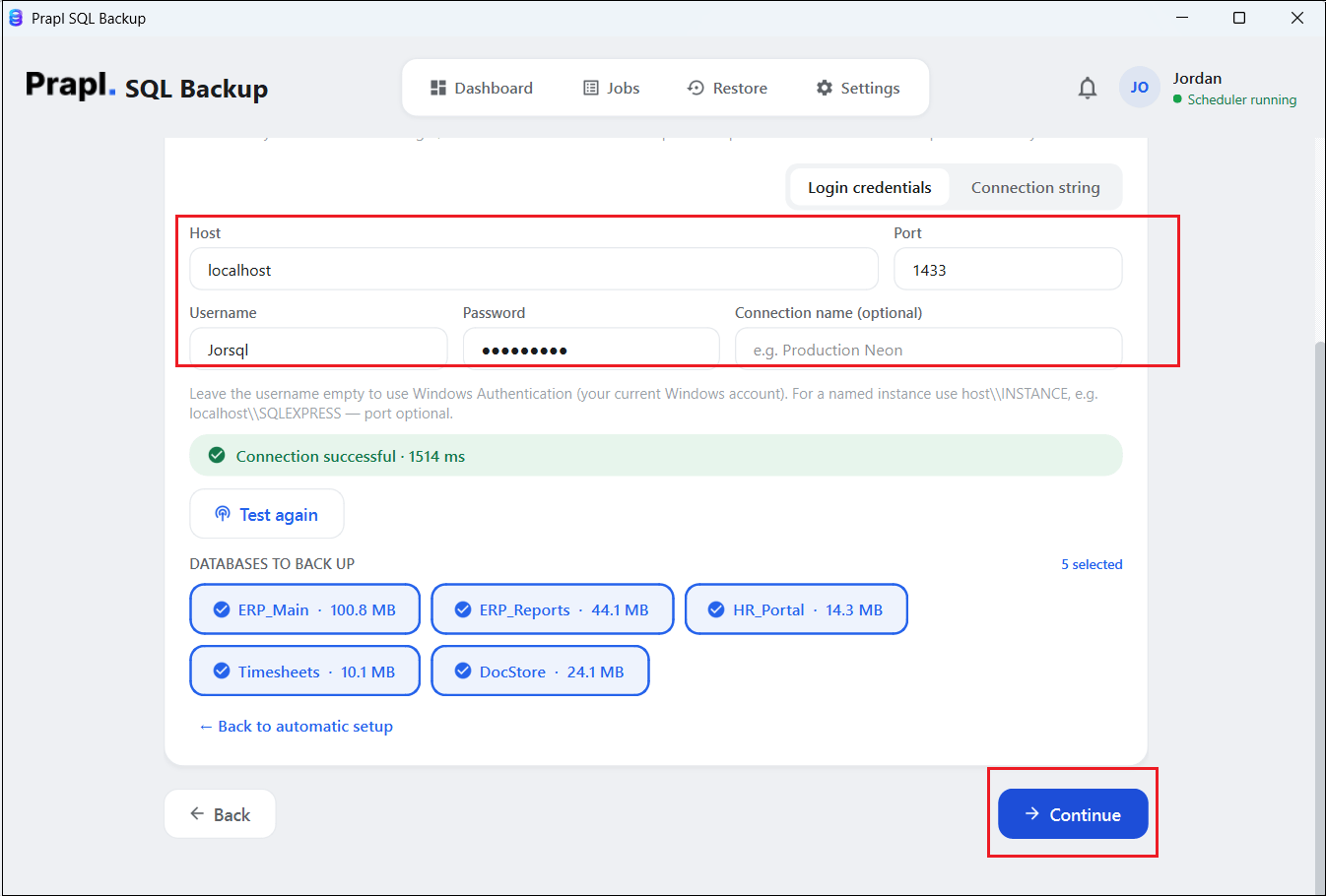
3. Enter your Oracle server login details and click on Test & List Databases. Choose what you want to back up and click Continue.
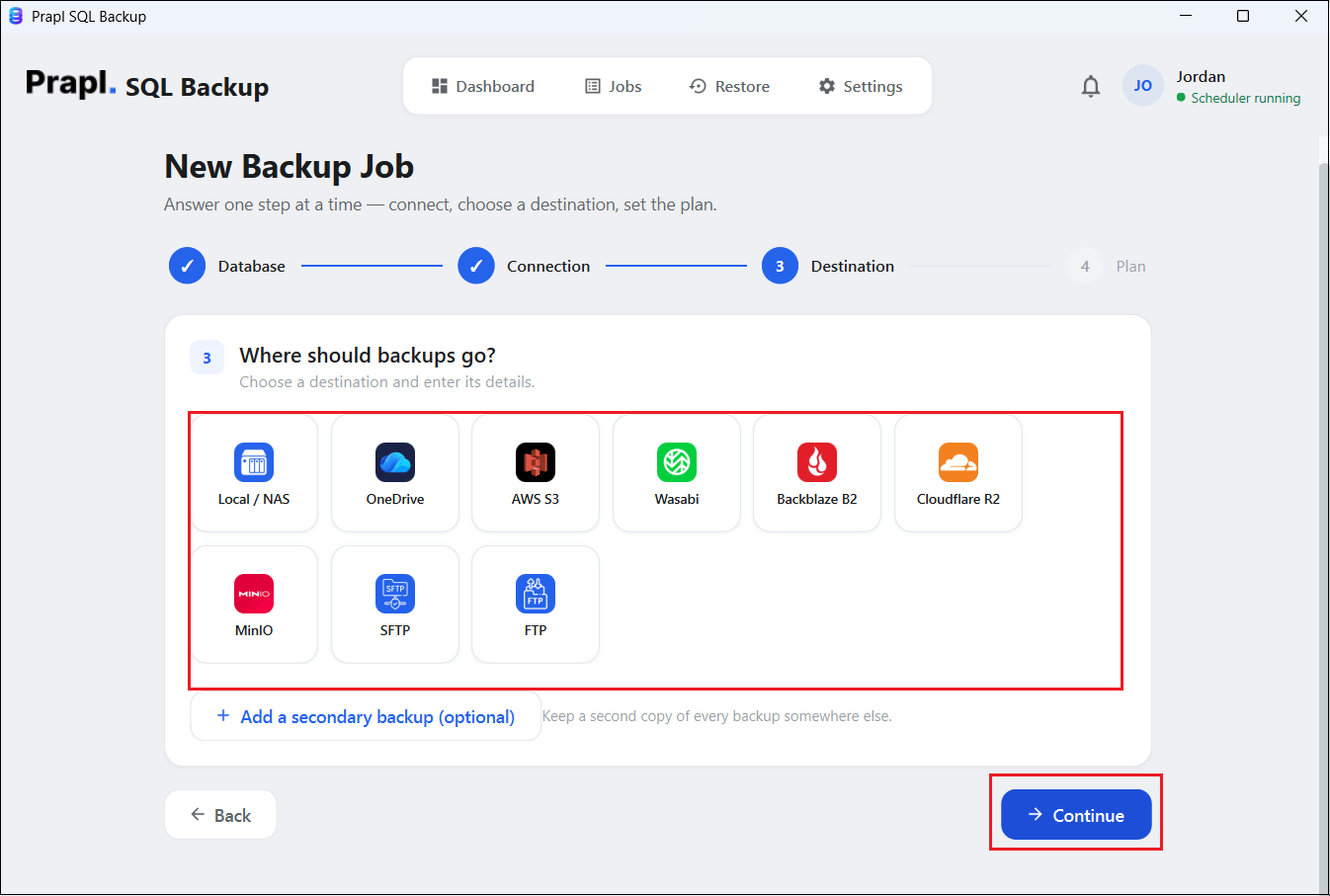
4. Select a location where you want to save backup files.
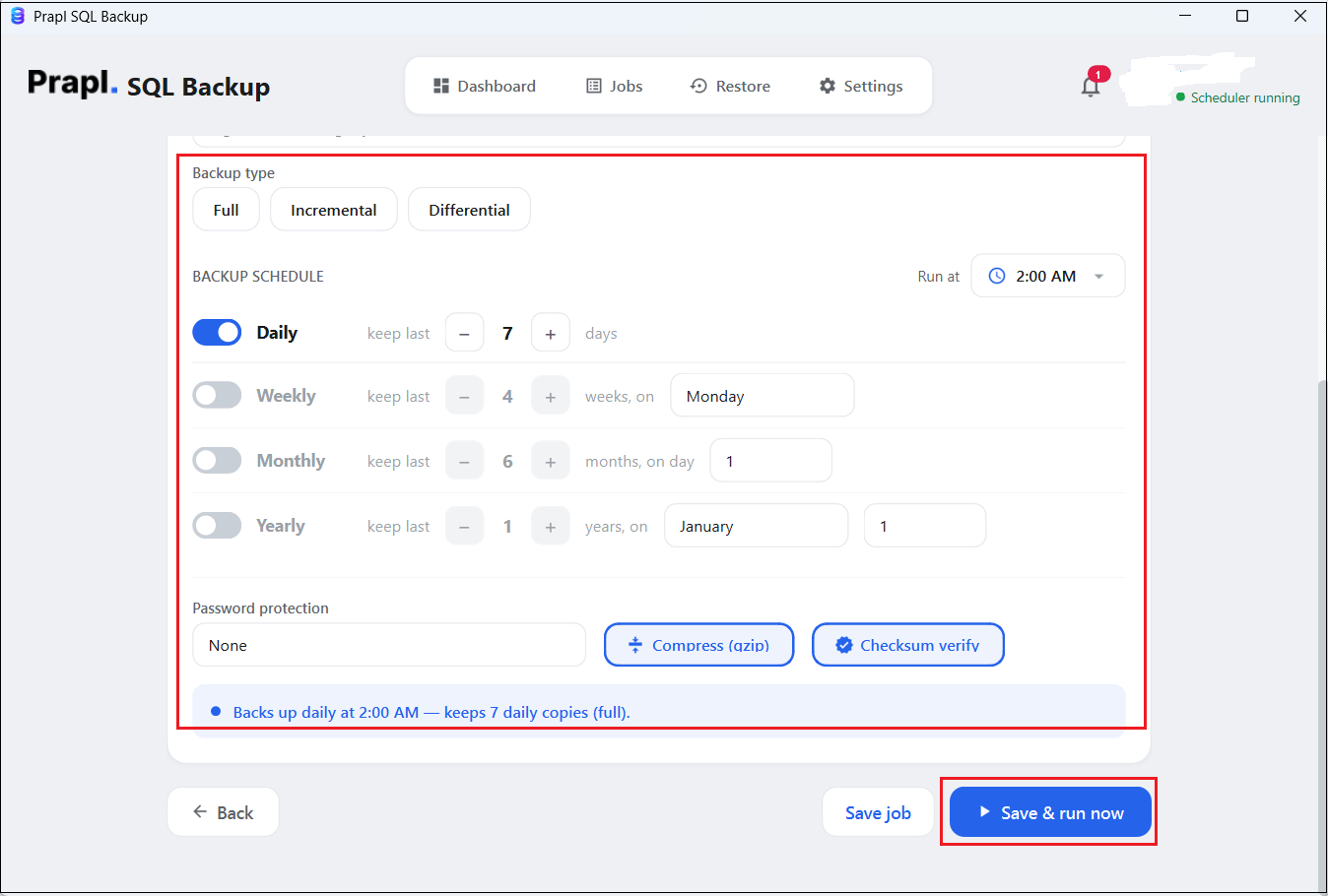
5. Set backup plan such as scheduling, backup type, run at, compression, encryption and retention policy. After that, click on Save & Run Now button to begin the process.
Watch How to Auto Backup Oracle Database
Conclusion
Creating backup of Oracle database is an important part of protecting the database. In the above post, we have discussed how to take Oracle database backup. RMAN provides a built-in method for creating and managing Oracle backup while the Oracle backup tool can make regular backup jobs easier to schedule and manage. Whichever method you choose, remember that a backup is useful when it is available, verified and recoverable when you need it.
Frequently Asked Questions
Question 1. Can I automate Oracle database backups?
Ans. Yes. RMAN operations can be scripted and run through operating system scheduling tools. Alternatively, backup software with built-in scheduling can be used to reduce manual work.
Question 2. Is it possible to backup Oracle database to Amazon S3 bucket?
Ans. Yes. The tool offers various storage options to save backup copies to Amazon S3 bucket or other local or cloud storage.
Question 3. Is RMAN better than Oracle backup software?
Ans. RMAN is Oracle’s built-in backup and recovery utility and provides extensive control for database administrators. Third-party software can be more convenient when the main requirement is scheduled, repeatable backup management with less command-line work.